Player Controls
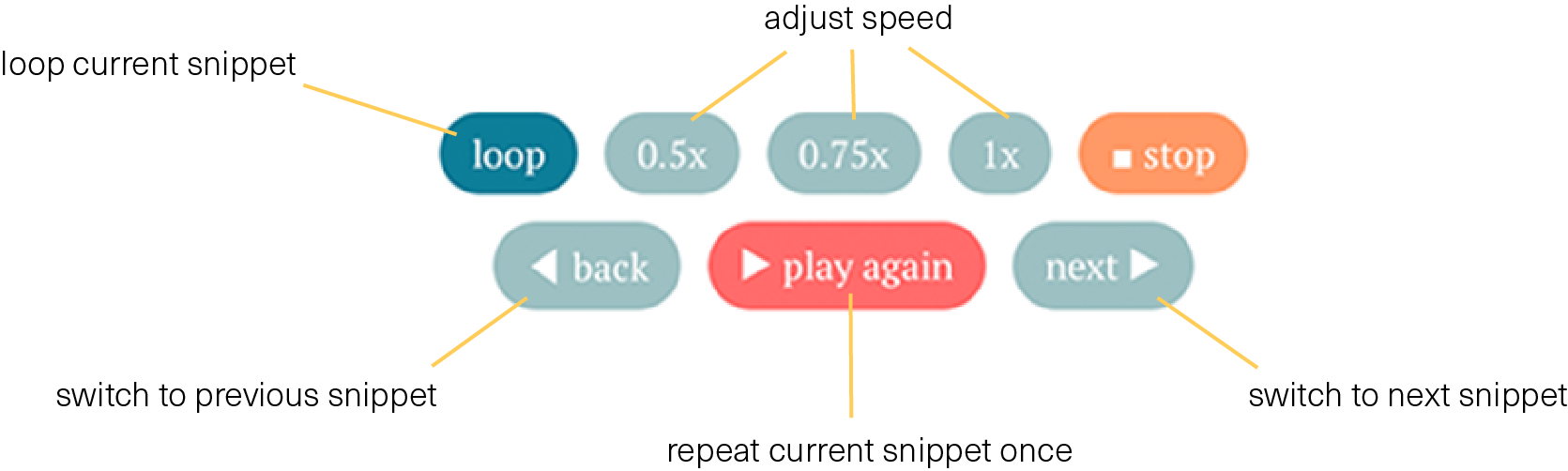
Here you’ll find a brief overview of the functions of the controls in the snippet players.
If you still have any questions, I’m happy to help personally — just send me an email with a short description of the issue to su@shamisen-musik.de.
Main Window
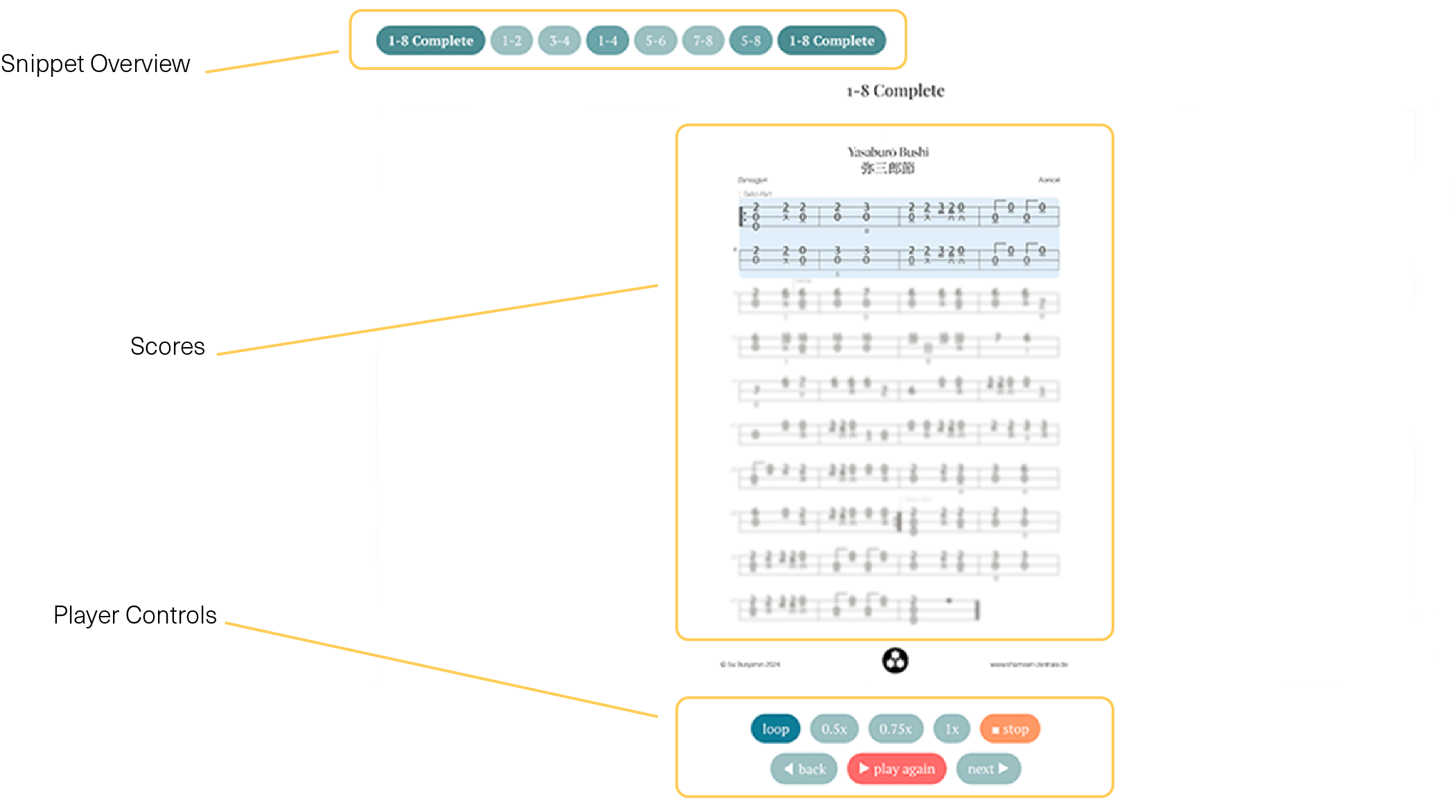
The core of the self-study courses is the snippet player. It consists of an overview of the sections at the top, the notation display in the center, and the player controls below the notation.
Snippet Overview
Using the buttons in the section overview above the notation, you can jump directly to individual sections. Clicking on a section starts playback immediately. The displayed notation updates automatically to match the section that is currently being played.
In modules with sections of different lengths, sections of the same length are grouped by color. Long sections use a strong, saturated color, short sections use a lighter shade, and medium-length sections use a medium tone.

The currently selected section is highlighted in sky blue.
Player Controls
Playback is controlled using the player controls below the notation.